
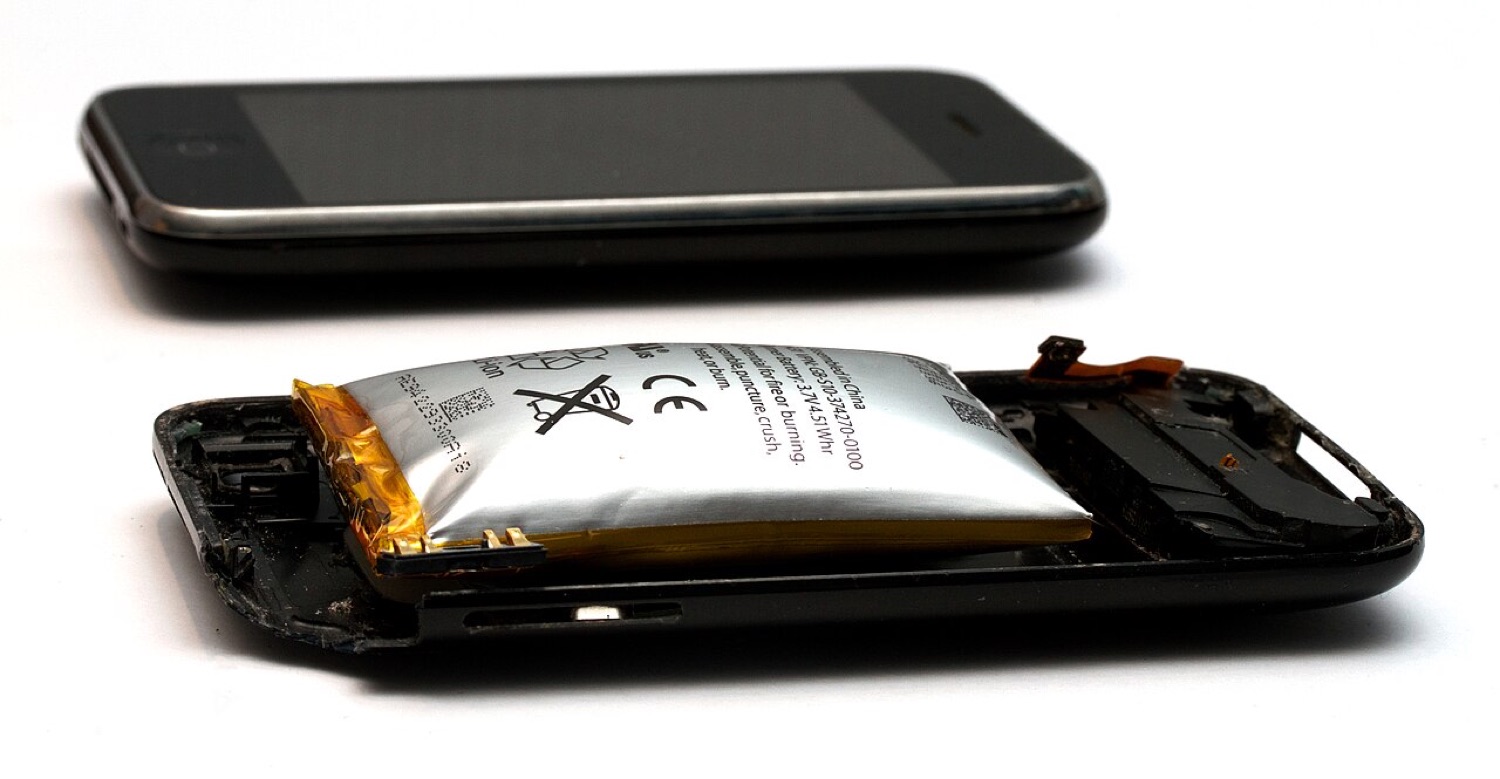
A swollen lithium-ion battery pushing out of the case of an old iPhone 3GS. Photo: Mpt-matthew, CC BY-SA 3.0, via Wikimedia Commons.
Battery tweaks were a whole category in Cydia: tools that switched off background processes, dimmed the screen on a schedule or showed hidden battery statistics. Some helped, many did nothing, and a few made things worse. The good news is that modern iOS covers the useful parts on its own.
How iPhone batteries age
iPhones use lithium-ion batteries, which wear with every charge cycle and with heat. Apple says its batteries are designed to keep around 80 percent of their original capacity after a set number of full cycles: about 500 for older models and more for recent ones. Heat is the main enemy, and keeping a phone at 100 percent for long periods adds stress too.
The settings that matter
- Battery Health. Settings > Battery > Battery Health shows maximum capacity and whether peak performance is being managed. It was introduced in 2018, after the controversy over older iPhones being slowed down to prevent unexpected shutdowns on worn batteries.
- Optimized Battery Charging. Learns your routine and waits at 80 percent until shortly before you usually unplug.
- The 80 percent limit. On iPhone 15 and later you can cap charging at 80 percent (and other limits on newer models).
- Low Power Mode. Cuts background activity when you need the battery to last.
Habits that help
- Avoid heat: do not leave the phone in a hot car or charge it under a pillow.
- Take off thick cases if the phone gets warm while charging.
- Do not worry about "calibrating" with full drains. That advice dates from older battery types.
- Use reputable chargers and cables.
Swollen batteries: stop using the device
If the screen lifts, the case bulges or the phone no longer sits flat, the battery may be swelling, like the old iPhone 3GS in the photo above. Stop charging it and take it to Apple or a reputable repair shop. Do not puncture or press on it.
Battery-hungry apps
Settings > Battery lists which apps use the most power. Navigation, video, games and anything that uses location constantly are the usual suspects. Sportsbook and casino apps can be surprisingly heavy, because they stream live odds and run location checks; we explain why in why gambling apps are geo-restricted.